A metronome that keeps time, even when it changes.
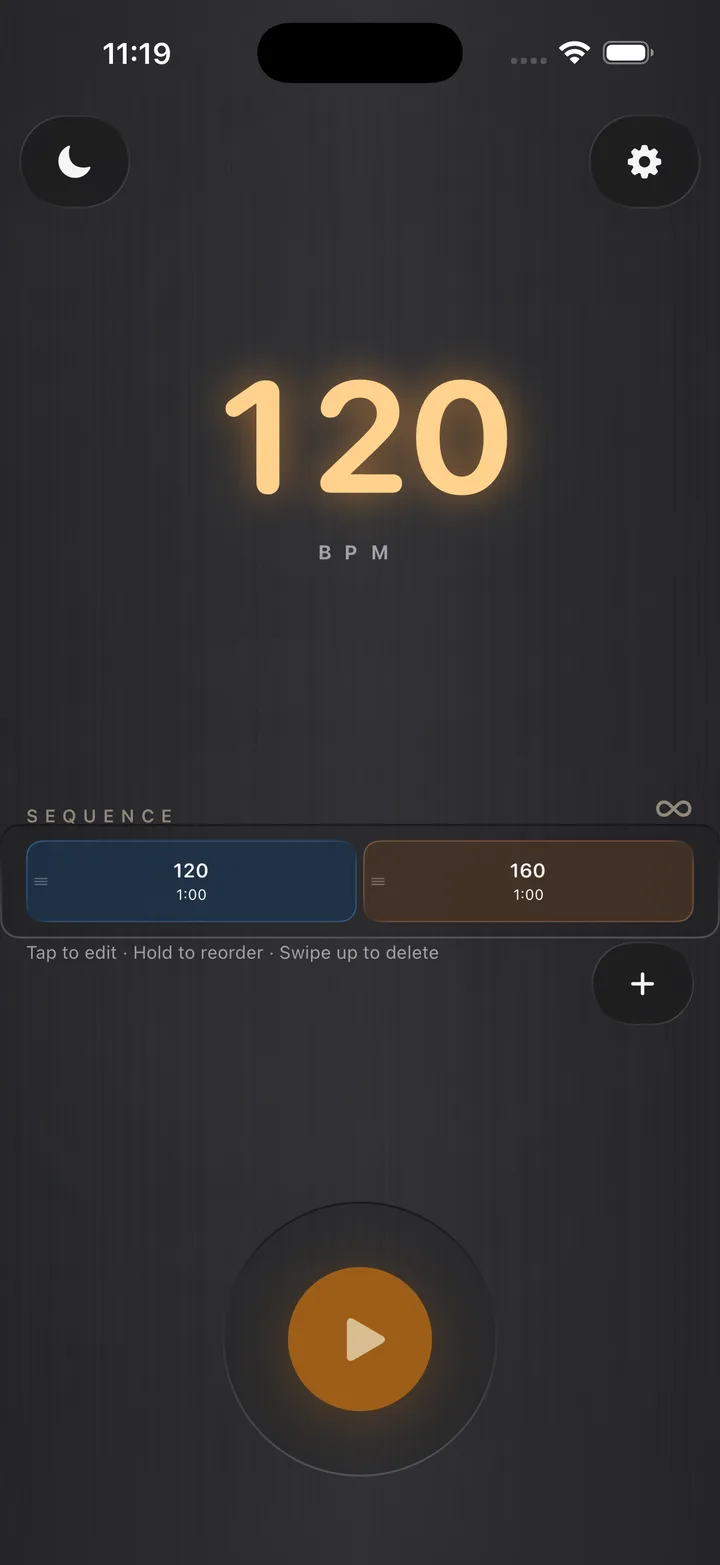
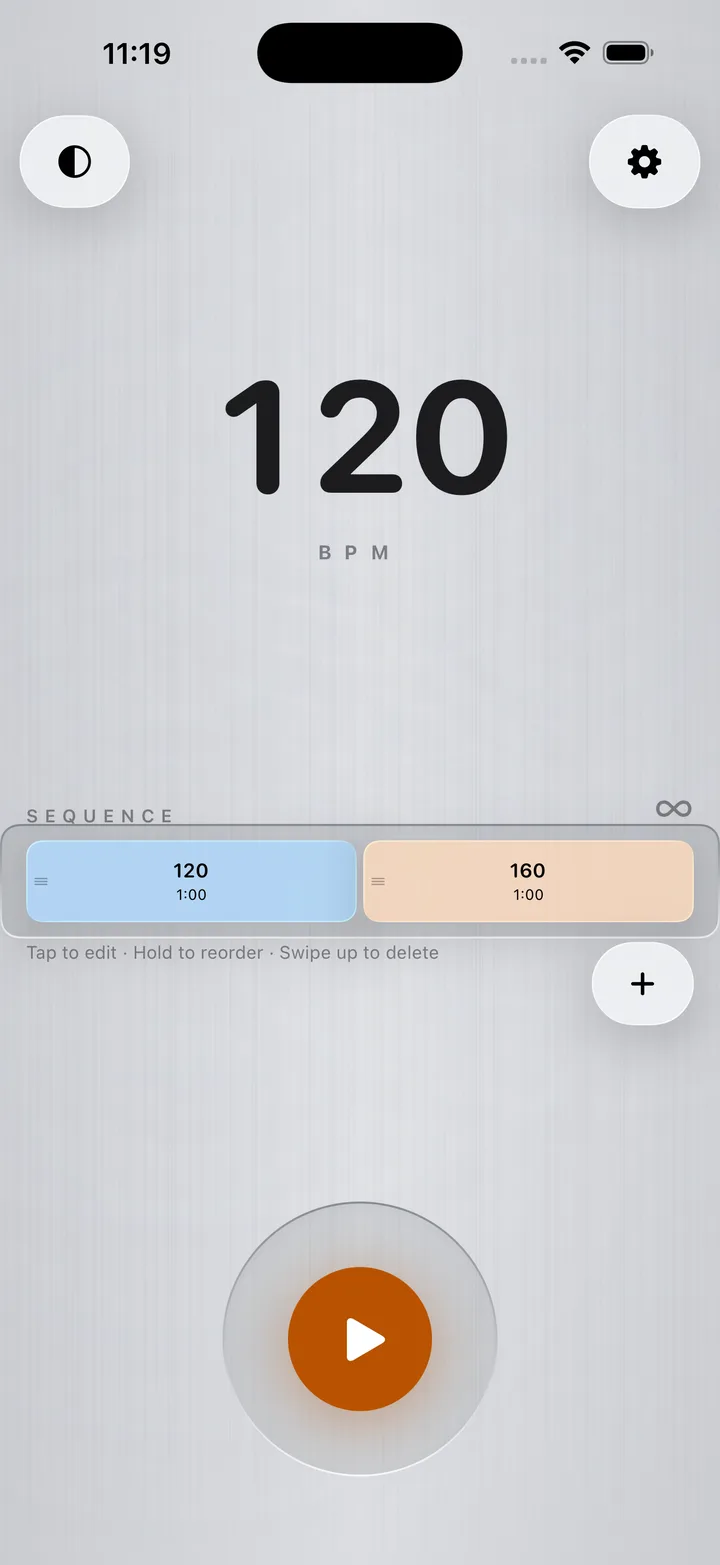
Build a sequence of tempo segments, each with its own speed and length, and let them play straight through. Hands‑free, end to end.
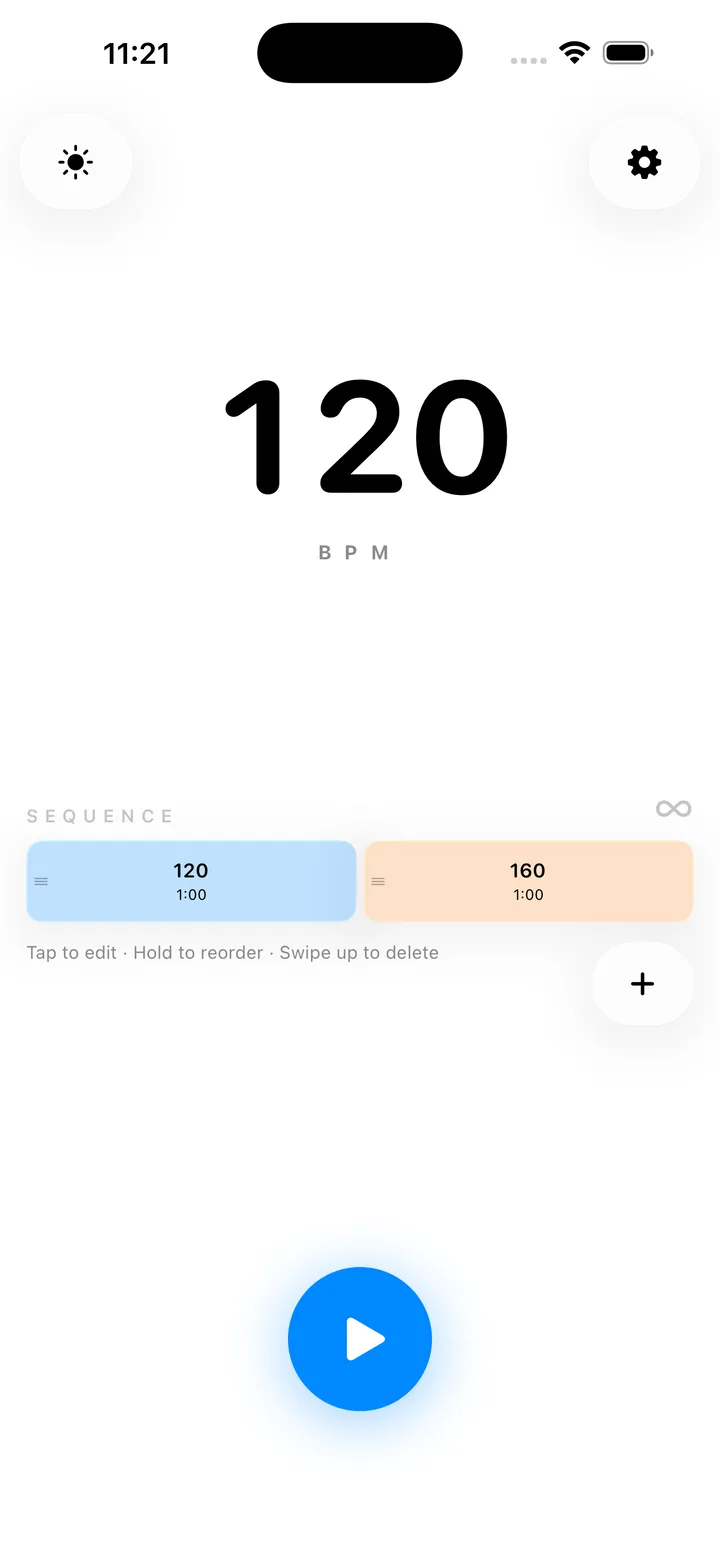

Most metronomes give you one tempo. This one gives you all the pieces.
Music that shifts gears.
Accelerandos, ritardandos, movements that move. Set a passage to run at 120 for sixteen bars, then 138 for the next thirty seconds, then ease back down and let it carry you through.
Each segment by beats or by time. As many as the piece needs. Loop the whole sequence, or play it once and stop.
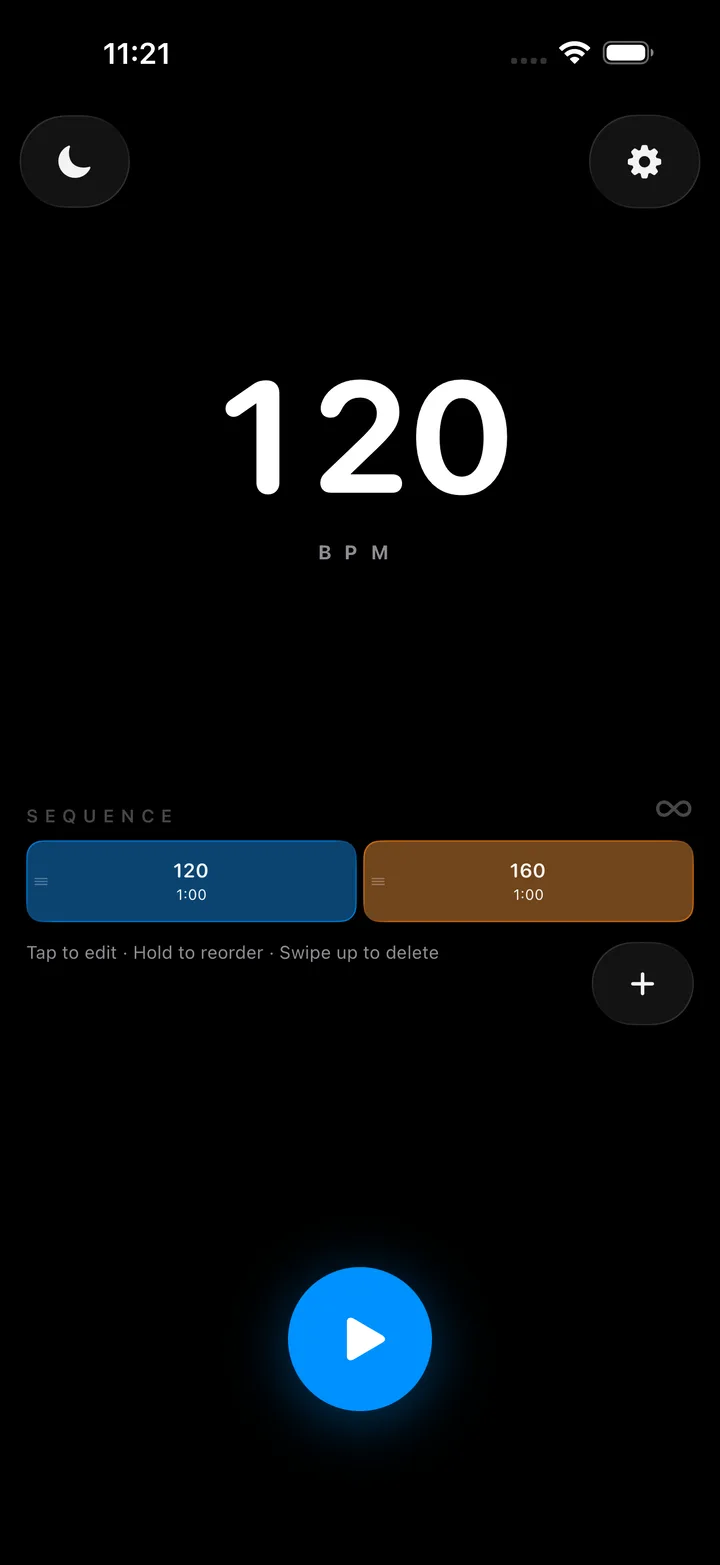

Fine control when you want it—feel when you don't.
A wide BPM slider. Tap tempo when you'd rather find the feel than dial it in. Length by minute and second, or by beat.
Manage segments from the play screen. Tap to edit. Hold to reorder. Swipe up to delete.

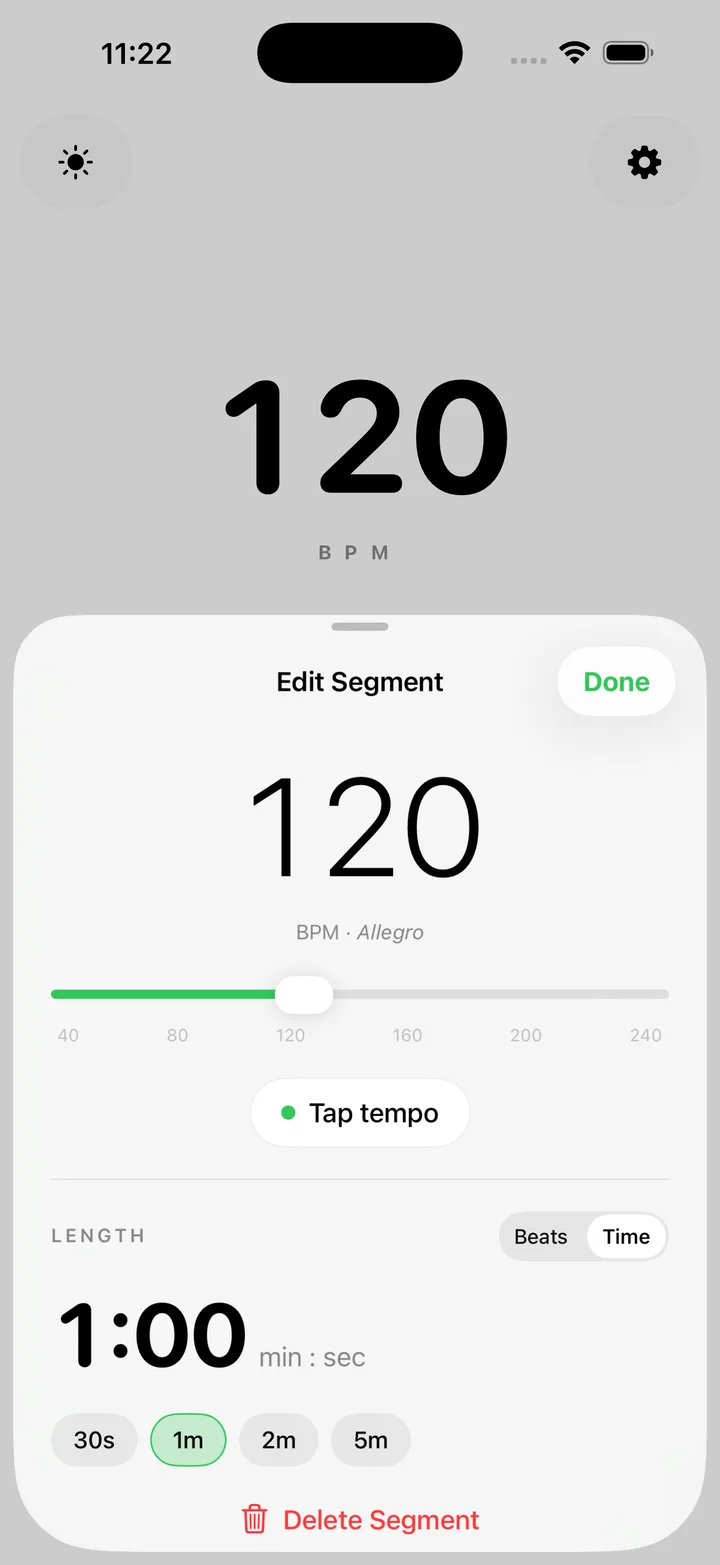
Six click sounds. Your count‑off.
Choose the click that carries in your room. A count‑off — any sound you pick — plays the last four beats before each tempo change, so the next tempo never sneaks up on you.
Or turn the count‑off off entirely. It's your practice room.
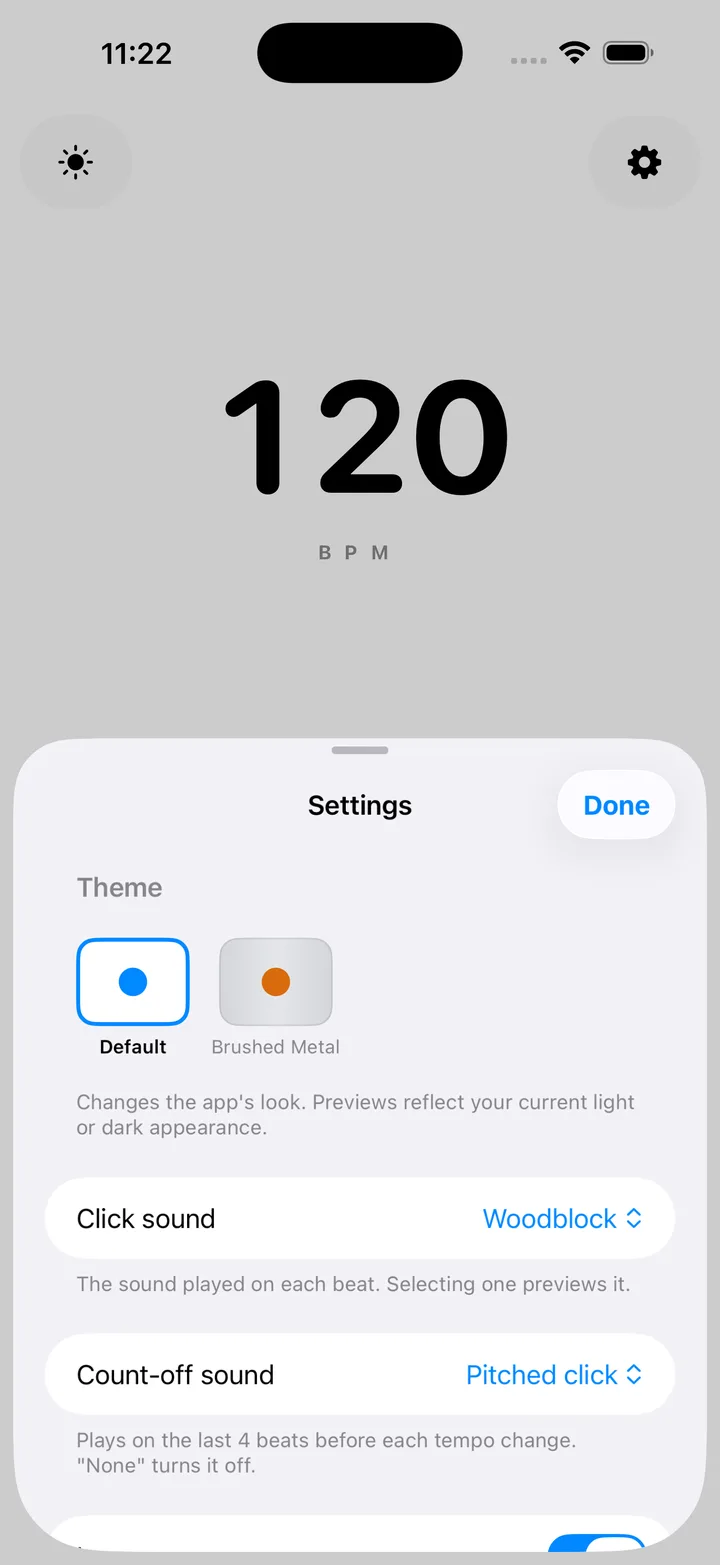

Everything a serious metronome should have. Nothing it shouldn't.
A clean, distraction‑free face. Built for classical players, students drilling difficult passages, and anyone working on a piece that doesn't sit still at a single tempo.
A chain of tempos. Played end to end.
Never caught off guard.
Four count‑off beats, in the sound you choose, before every tempo change.
Find the feel.
Tap a tempo, or dial one in precisely.
Six click sounds.
Default.
Brushed Metal.
Offline by design.
No servers, no accounts, no analytics. Your sequences live on your device — and only there.
A small consort of gnomes, somewhere.
There is, in fact, one. Four, if you're counting. They show up where you'd least expect them—and never where you'd be annoyed by them.
Every screen. Nothing extra.
Useful things for music that won’t sit still.
Field notes for mapping tempo changes, rehearsing the seams between sections, and keeping a practice run moving from first beat to last.
How to practice music that changes tempo
Map the sections, rehearse the transitions, and run the whole passage without stopping to reset the click.
Open the field guide →Tempo ladder practice
Choose useful BPM steps, decide when to advance or step back, and build speed without forcing the music.
Open the field guide →The app collects nothing.
Metrognomicon runs entirely on your iPhone. The app makes no network connections and transmits no data anywhere. No servers, no accounts, no analytics, no advertising, no tracking. Your sequences and preferences stay on your device—and leave with the app, if you do.
Privacy-forward website analytics.
Website analytics are separate from the offline Metrognomicon app. The production website uses Vercel Web Analytics to understand aggregate visits to public pages. It does not use analytics cookies, persistent visitor identifiers, advertising profiles, cross-site tracking, or App Store click events.
Vercel may process the time of a visit, the public page path without URL query strings or fragments, the referring website or page, approximate location, and general browser, operating-system, and device categories. Vercel derives a temporary visitor hash from the incoming request, discards it after 24 hours, and cannot use it to recognize a visitor across different days or websites. Metrognomicon receives aggregated reports rather than personal profiles or raw IP addresses.
Vercel Web Analytics does not set analytics cookies. This website removes accessible legacy Google Analytics cookies and the old analytics preference it previously stored. If your browser sends a Global Privacy Control signal, the website suppresses Vercel Web Analytics page-view events.
Vercel’s reporting window depends on the website’s Vercel plan. Metrognomicon does not maintain a separate visitor-level analytics database, sell or share website analytics data, or use it for advertising.
Questions, bugs, or feature ideas?
Send a note. We'll get back to you.
support@metrognomicon.comWhen reporting a problem, it helps to include your device model, your iOS version, and the app version (shown on the App Store listing).